The app adopts a soft-toned blue interface to reduce eye strain during long-term use. Key information such as temperature alerts and device status, remains highly visible even in bright outdoor environments, ensuring seamless operation across scenarios.
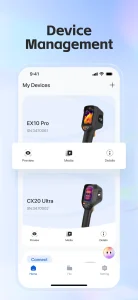
The APP integrates four core capabilities:
1) Device Management
Fast pairing for new devices—with one-click reconnection to previously paired units.
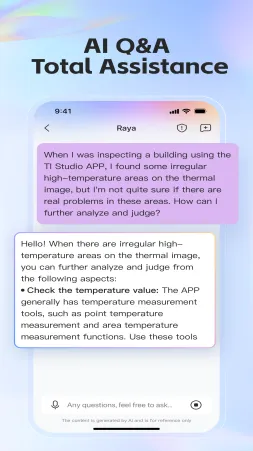
2) AI Q&A
In-app intelligent assistance answers thermal analysis questions in real-time (e.g., “How can I further analyze?”).
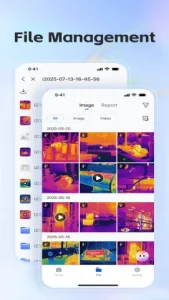
3) File Management
Batch-process thermal images and videos with tag-based search for instant data retrieval.
4) Thermal Imaging Analysis
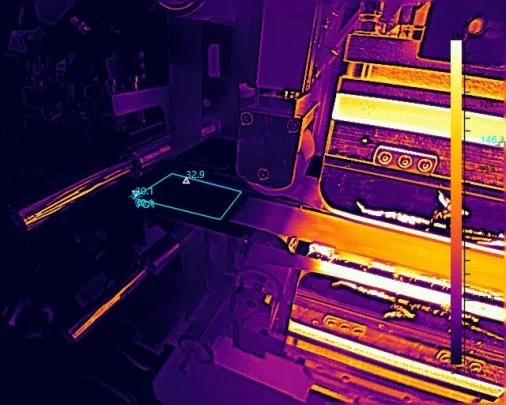
Built-in tools support point, line and area temperature mapping, laying the foundation for in-depth diagnostics.
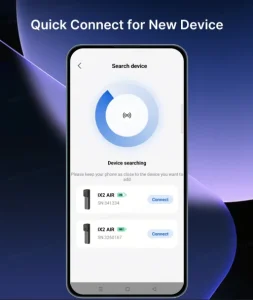
1) New Device Quick Connect
Automated protocol matching eliminates manual configuration, enabling ultra-fast connection.
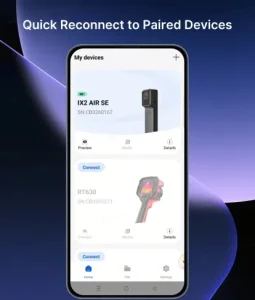
2) Paired Device Reconnect
A “Favorite Devices” list ensures instant reconnection to frequently used tools (e.g., IX2 AIR SE wireless thermal camera), minimizing operational downtime.
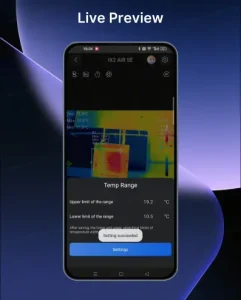
1) Live Preview
Auto-rotates 90° for ergonomic viewing, with customizable temperature ranges and highlighting of critical image details.
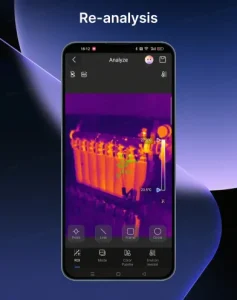
2) Re-analysis: Different modes (tag reuse, image super-resolution, isotherm mapping) adapt to complex scenarios
- Isotherm mode: Detects heat patterns in curved surfaces (e.g., battery casings).
- Super-resolution: Enhances low-resolution thermal images for clearer diagnostics.
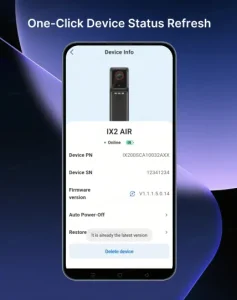
A single tap updates device connectivity, temperature thresholds, and firmware status, ensuring real-time alignment between the APP and hardware.
TI Studio APP 2.0 is more than just a simple version upgrade. By combining lightweight design with intelligent automation, it enables temperature data to be tracked, analyzed, and used for decision-making, empowering users to work faster, smarter, and more confidently.